Using AI to Fix Your Credit
AI Can Read Your Report — But It Cannot Verify It
AI tools can read a credit report faster than any person — and a lot of people in Houston are now pasting their reports into ChatGPT, Claude, or Grok and asking what is wrong. Used carefully, that can be a useful first pass. Used carelessly, it can point you at the wrong items, or at items that were never wrong at all. This guide shows how to use AI on your report the right way, what to check before you act on anything it says, and where the DIY method stops.
Start by pulling your own reports. The official place to get them is annualcreditreport.com, where weekly access to each bureau's report is permanent as of 2026. Pull all three — Equifax, Experian, and TransUnion — and read them first yourself, before any tool sees them.
Next, make a short summary of each report: the accounts, the balances, the credit limits, the payment history, any collections, and any inquiries. Paste that summary — not the report itself — into an AI tool such as ChatGPT, Claude, or Grok.
Then ask it to do four things: flag anything that looks like an error, such as a wrong balance, a duplicate account, an account you do not recognize, or a late payment that does not match your records; rank the negative items by how much damage they are doing to your score; show your utilization per card and overall, and what paying each one down would do; and give you a 30-day action plan — what to dispute, what to pay down first, and what not to touch. Ask it to explain everything in plain English, with no jargon.
Only flag real errors. AI can misread a report — it can mistake a closed account for a collection, or a balance that updated last week for one that never changed. Verify every flag against your own records — your statements, your payment history, your lease or loan paperwork — before you act on it. Never dispute anything accurate. Disputing an item that is correct does not change it, and it spends a dispute round you could have used on something real.
Never paste your Social Security number or full account numbers into an AI tool. Redact them first. A summary with account names, balances, and dates is all the tool needs to do the analysis, and your full numbers should never leave your own files.
Stick to the official report source. Other sites offer to show you your reports, but they are not the official source. Annualcreditreport.com is the site the bureaus themselves run for this.
An AI summary is a starting point, not a finished case. After the AI hands you its list, the real work is still yours: verifying each flag against your records, writing a dispute letter that names the exact error, the account, and the bureau, and sending it by certified mail with tracking so the bureau's 30-day clock starts on delivery.
Then there is the follow-up. A bureau can verify an item, correct it, or come back with a thin answer that needs a second letter — sometimes to the bureau again, sometimes directly to the company that furnished the information. Someone has to read those responses, compare them against your records, and decide what happens next. An AI tool does not do that part.
Monitoring matters through all of it. Your reports change as disputes resolve and balances move, and the letters the bureaus send back arrive on their own schedule. Keeping monitoring active the whole case means you see updated reports and responses when they arrive, instead of finding out months later that a round ended without you.
When you dispute by mail, send it to the bureau that shows the item. The mailing addresses are: Experian, P.O. Box 4500, Allen, TX 75013; Equifax, P.O. Box 740256, Atlanta, GA 30374; and TransUnion, P.O. Box 2000, Chester, PA 19016. Bureaus generally have 30 days to investigate a dispute once they receive it. Send disputes by certified mail and keep a copy of everything you send, along with the delivery confirmation.
If this guide helped, these pages go deeper on the topics that usually come up next.
These are actual results from past clients, previously shared on Instagram. Every credit file is different, so treat these as examples of what the process can look like, not as a promise of what yours will do.
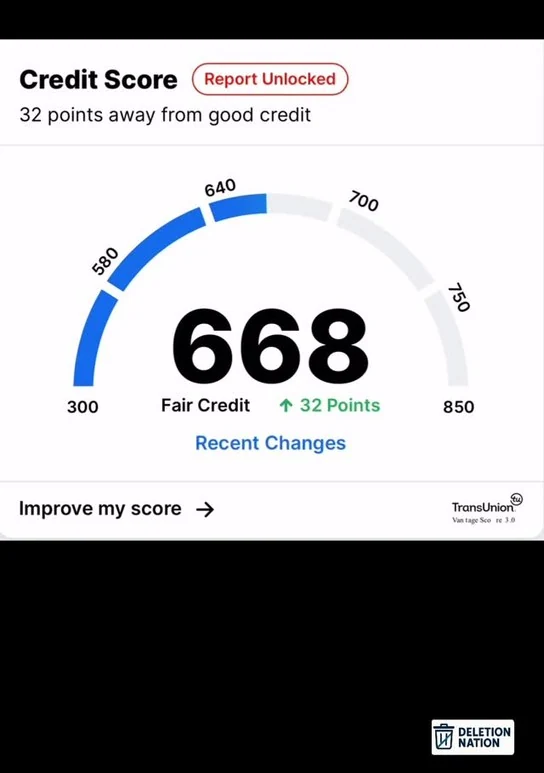
Three TransUnion clients cleared back to back in August 2025. One client had 8 inquiries deleted in a single sweep; another had Apple Card, Comenity, CareCredit, and USAA accounts removed; a third had a Synchrony account deleted. One client rose 32 points overnight, to 668.
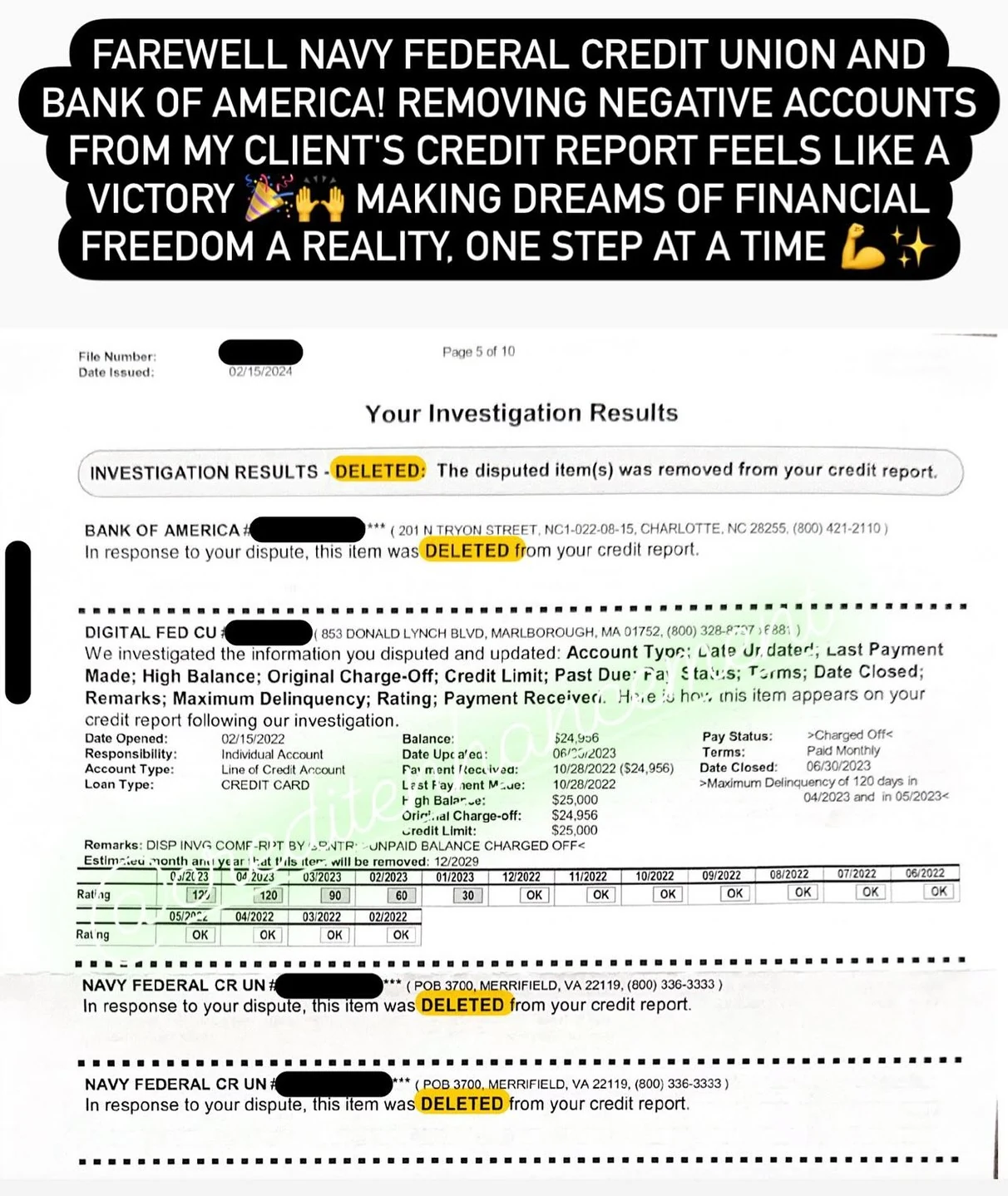
A February 2024 bureau investigation letter showing a Bank of America account and two Navy Federal accounts deleted from a client's credit report after dispute.
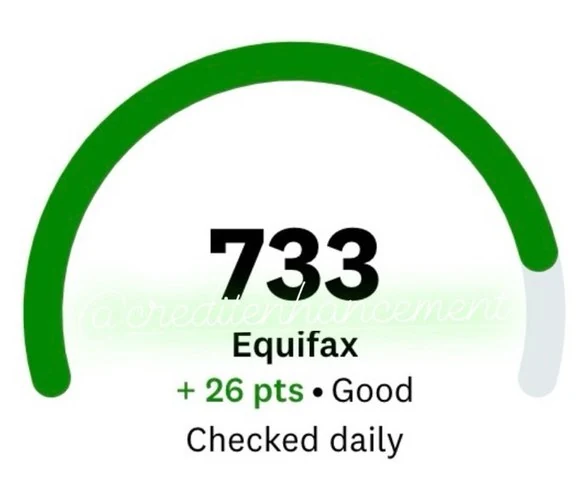
A client reached 733 on Equifax after a 26-point increase, March 2024.
Results vary from person to person and depend on what is in each credit file. Nothing here promises a particular score increase or deletion.
An AI summary is only as good as the report it reads. Check your scores and entries from all three bureaus side by side before you paste anything into an AI tool.
For a dollar, you can read your scores and entries from Equifax, Experian, and TransUnion before you decide what to do about them.
A dollar with MyScoreIQ opens 7 days of access to your scores, then $34.99 a month if you keep it. Cancel anytime.
Using AI to Fix Your Credit can look different from one report to the next. We help you understand the details and spot accuracy problems.
We review the summary you built from your three reports, so the AI is working from complete information.
We go through each flag one by one and check it against your own records.
We look at the utilization on each card and what paying each one down would do.
We talk through the plan the AI suggested and put the real disputes first.
We look at what the tool missed — verification, letters, mailing, and follow-up.
A Using AI to Fix Your Credit entry feels personal, but on a report it is just data — dates, amounts, and a status. We help you read it as data first.
The same account can look different on each bureau. We help you check all three before you act on any one of them.
We explain dispute options, what records to keep, and practical habits that help you stay current going forward.
We go through your reports with you and flag what is actually worth challenging.
We verify each AI flag against your records before anything gets disputed.
We write disputes that name the exact error, the account, and the bureau, and send them by certified mail with tracking.
We explain the follow-up — what happens when a bureau verifies, corrects, or stalls.
No. AI can help you read a report and spot things that look wrong, but it cannot file a dispute, verify an error, or change what a bureau reports. The dispute itself is still your work — or ours.
Only a summary: account names, balances, limits, payment history, collections, and inquiries. Never paste your Social Security number or full account numbers — redact them first.
Annualcreditreport.com, the official site. Weekly access to each bureau's report is permanent as of 2026.
Do not dispute it. Only challenge information that is genuinely wrong. Disputing an accurate item does not change it, and it spends a dispute round you could have used on something real.
It can draft them, but read every line before you send anything. A letter needs to name the exact error, the account, and the bureau, and it should go by certified mail with tracking.
The bureau generally has 30 days to investigate once it receives your letter. Keep monitoring active so you see the updated reports and any letters that come back.
Bring the list the AI gave you and let's check each item against your records before anything gets disputed. Call (346) 301-6424.